One-line description
SaaS Fee Calculator is a free planning tool and CSV template that compares SaaS payment fees and estimated take-home revenue across Stripe, PayPal, Paddle, Lemon Squeezy, Polar, and merchant-of-record options.
Product details, a free CSV template, positioning, screenshots, logos, and description options for directories, resource pages, newsletters, communities, and review lists that want to describe SaaS Fee Calculator accurately.
SaaS Fee Calculator is a free planning tool and CSV template that compares SaaS payment fees and estimated take-home revenue across Stripe, PayPal, Paddle, Lemon Squeezy, Polar, and merchant-of-record options.
Best-fit categories are SaaS tools, payment tools, finance calculators, founder tools, business software, startup tools, merchant-of-record resources, and subscription billing resources.
| Length | Copy |
|---|---|
| 50 characters | Compare SaaS payment fees before choosing. |
| 80 characters | Compare Stripe, PayPal, Paddle, Lemon Squeezy, Polar, and MoR fees. |
| 160 characters | Free SaaS payment fee calculator and CSV template for comparing Stripe, PayPal, Paddle, Lemon Squeezy, Polar, and MoR economics. |
| 300 characters | SaaS Fee Calculator helps founders compare payment fees and take-home revenue across Stripe, PayPal, Paddle, Lemon Squeezy, Polar, and merchant-of-record options using revenue, order count, international cards, refunds, chargebacks, and a free CSV template. |
| Launch title | Free SaaS fee calculator and CSV template for comparing Stripe, PayPal, Paddle, Lemon Squeezy, Polar, and MoR economics. |
The free CSV template gives resource pages and directory reviewers a concrete file to cite, not only a homepage. It includes starter rows for Stripe, PayPal, Paddle, Lemon Squeezy, Polar, and a custom provider.
The tool is for indie hackers, micro-SaaS founders, bootstrapped SaaS teams, product builders, and finance-minded operators who need to choose a checkout provider before the business has a dedicated finance or payments team.
It is especially useful when a founder is deciding whether direct processing is enough or whether a merchant-of-record provider is worth the higher headline fee because of tax, invoice, refund, dispute, payout, and support workload.
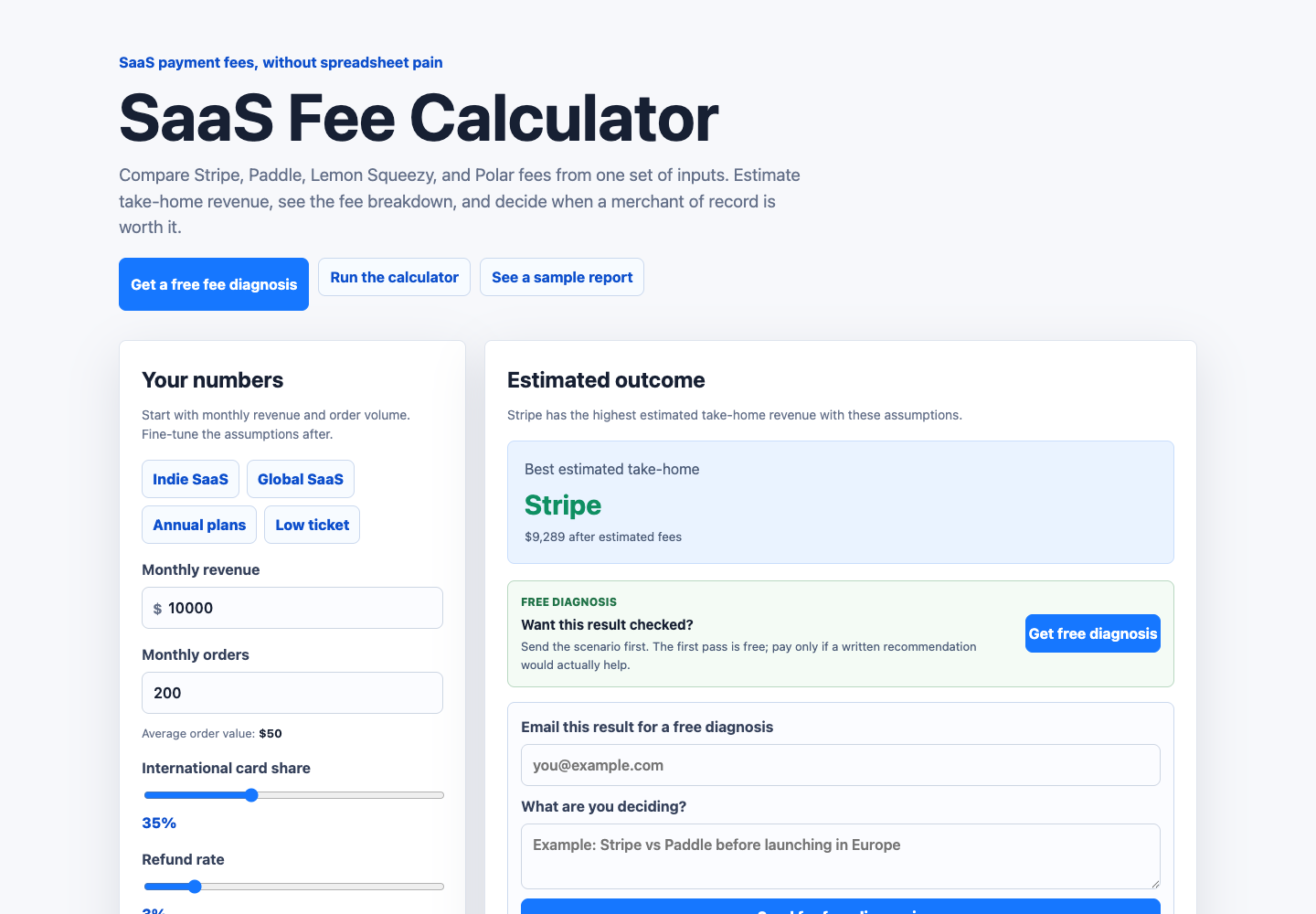
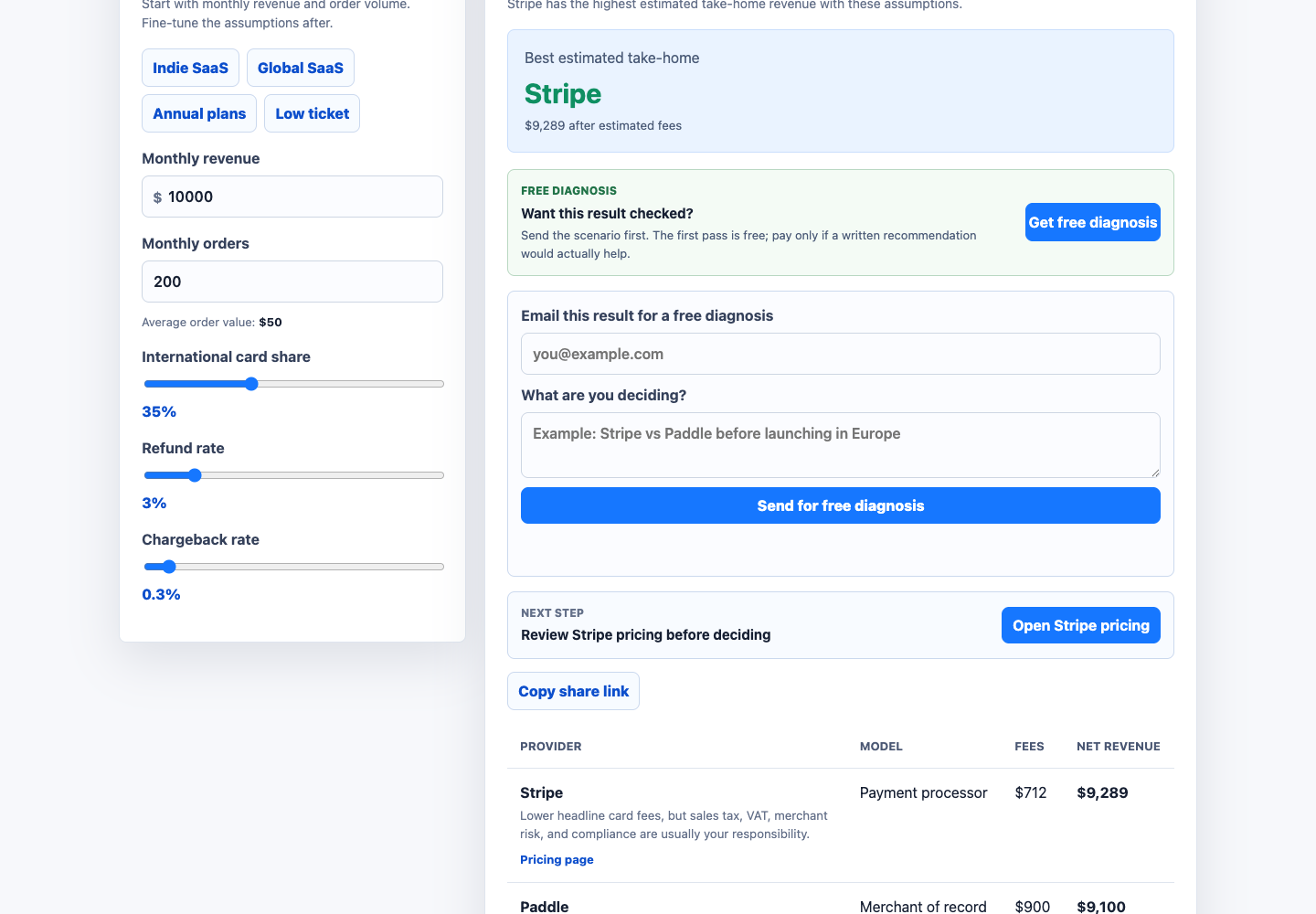
SaaS Fee Calculator models monthly revenue, order count, international card share, refund rate, chargeback rate, fixed checkout fees, processor fees, and merchant-of-record style operating tradeoffs.
The calculators are planning tools only. They do not replace official provider pricing pages, tax advice, legal advice, accounting review, or custom provider quotes. Every estimate should be checked against current provider terms before launch.
These public files are safe to use when listing or describing SaaS Fee Calculator. Use the product name exactly as SaaS Fee Calculator and link to the canonical homepage unless a directory asks for a more specific landing page.
| Context | Best URL |
|---|---|
| General product listing | https://saasfeecalculator.com/ |
| Paddle vs Stripe calculator | https://saasfeecalculator.com/stripe-vs-paddle-calculator/ |
| Four-way provider comparison | https://saasfeecalculator.com/saas-payment-provider-comparison/ |
| Merchant-of-record pricing | https://saasfeecalculator.com/merchant-of-record-pricing/ |
| SaaS tax and Stripe Tax | https://saasfeecalculator.com/saas-tax-calculator/ |
| SaaS VAT workflow | https://saasfeecalculator.com/saas-vat-calculator/ |
| Sales tax software comparison | https://saasfeecalculator.com/sales-tax-software-for-saas/ |
| Stripe Tax calculator | https://saasfeecalculator.com/stripe-tax-calculator/ |
| Low-ticket SaaS payment fees | https://saasfeecalculator.com/best-payment-provider-for-low-ticket-saas/ |
| Global SaaS payments | https://saasfeecalculator.com/global-saas-payment-fees/ |
| Reviewer or media assets | https://saasfeecalculator.com/press-kit/ |
| Free CSV template or resource-page citation | https://saasfeecalculator.com/saas-fee-comparison-template/ |
SaaS Fee Calculator is free, web-based, and does not require an account. It fits directories that cover startup tools, SaaS operations, payment software, finance calculators, founder resources, and subscription-billing planning.
The cleanest listing URL is the homepage. If the directory focuses on a narrower topic, use the matching landing page above so visitors arrive on the page that explains the relevant Stripe, Paddle, tax, VAT, or merchant-of-record tradeoff.
I built SaaS Fee Calculator because comparing payment providers by headline fee misses important details. Low-ticket subscriptions, international cards, refunds, chargebacks, tax/VAT workflow, and merchant-of-record operations can all change what actually lands in the business.
The current version compares Stripe, PayPal, Paddle, Lemon Squeezy, Polar, and MoR-style economics from one set of assumptions, and includes a free CSV template for spreadsheet-based comparison. Feedback from SaaS founders who sell globally is especially useful.
Reviewers, directory editors, and community moderators can use these pages to check what the calculator is trying to do, how estimates are framed, and which assumptions should be verified against official provider pages before launch.
Good wording: "Compare estimated SaaS payment fees", "model take-home revenue", "plan before choosing a checkout provider", and "compare direct processing against merchant-of-record options."
Avoid implying that the tool gives tax advice, guarantees exact provider pricing, replaces official pricing pages, or recommends one universal payment provider for every SaaS business.
Corrections, directory questions, provider-pricing updates, and listing requests can be sent to [email protected].
The project is intentionally free to use. Any paid digital product or provider recommendation should be treated separately from the free public calculator and should not be described as required to use the site.
The best category is usually SaaS tools, finance tools, startup tools, payment tools, business calculators, or founder resources. If the directory has only broad categories, choose business software or productivity. If it has a payments category, use that before a generic SaaS category.
Use the homepage for a general listing. Use the free CSV template page when a directory or resource list prefers downloadable assets. Use the Stripe vs Paddle page, merchant-of-record pricing page, SaaS tax page, SaaS VAT page, sales tax software page, or four-way provider comparison page only when the directory or discussion is about that exact topic. The launch kit itself is mainly for reviewers, editors, and directory operators who need copy, screenshots, or asset links.
Avoid saying the calculator guarantees exact fees, provides tax advice, or chooses the best payment provider automatically. The accurate framing is that it helps SaaS founders compare assumptions before checking official provider pricing and making a payment-stack decision.