SaaS Fee Calculator
Press and directory kit
SaaS Fee Calculator Press Kit
Logo files, screenshots, product descriptions, category suggestions, canonical links, and contact details for editors,
directory reviewers, resource-page owners, and community moderators describing SaaS Fee Calculator.
Product facts
SaaS Fee Calculator is a free web tool for comparing SaaS payment fees and estimated take-home revenue across Stripe,
PayPal, Paddle, Lemon Squeezy, Polar, and merchant-of-record options.
The calculator uses one shared set of assumptions: monthly revenue, order count, international card share,
refund rate, and chargeback rate. It also includes a free CSV template for spreadsheet-based provider comparison.
Best category fit
Best-fit categories are SaaS tools, finance calculators, payment tools, startup tools, business tools,
subscription billing resources, merchant-of-record resources, and founder operations tools.
The safest listing URL is the canonical homepage. Use a more specific page only when the directory or article is about
Paddle vs Stripe, SaaS tax, Stripe Tax, merchant-of-record pricing, or low-ticket SaaS payments.
Homepage preview
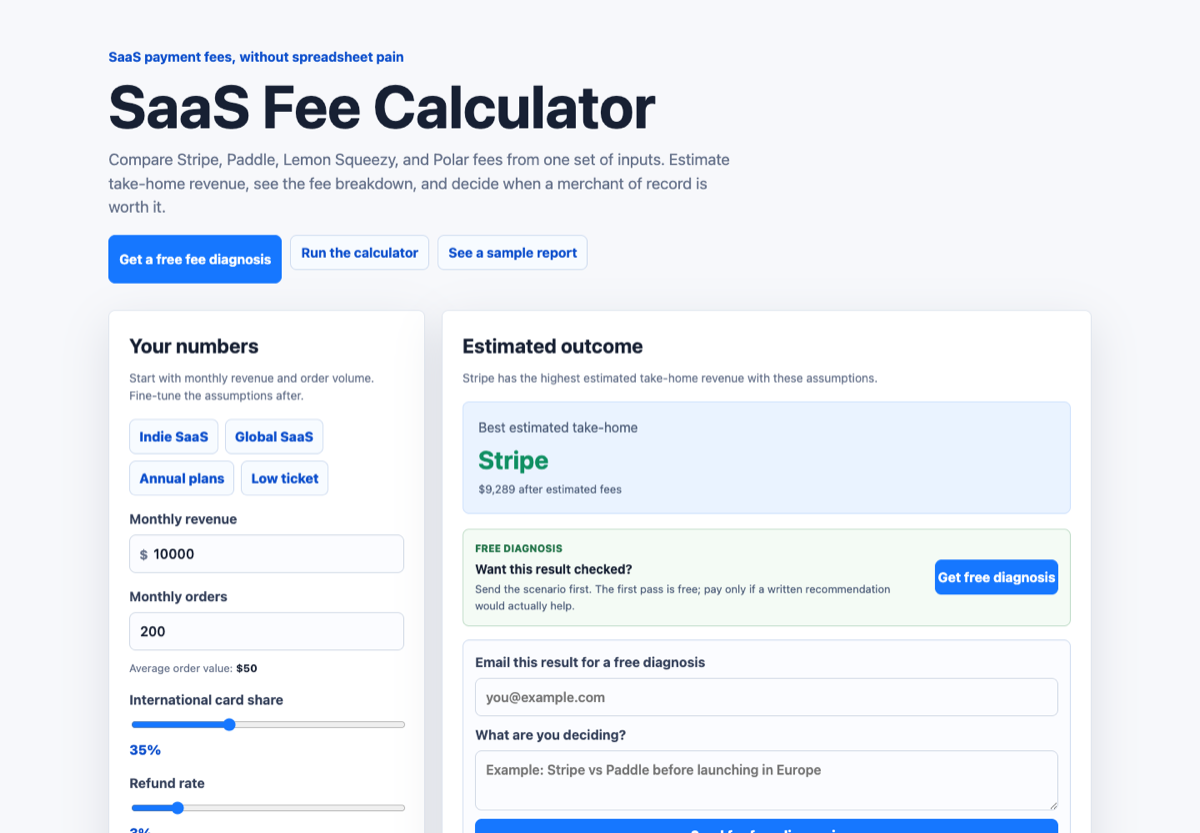
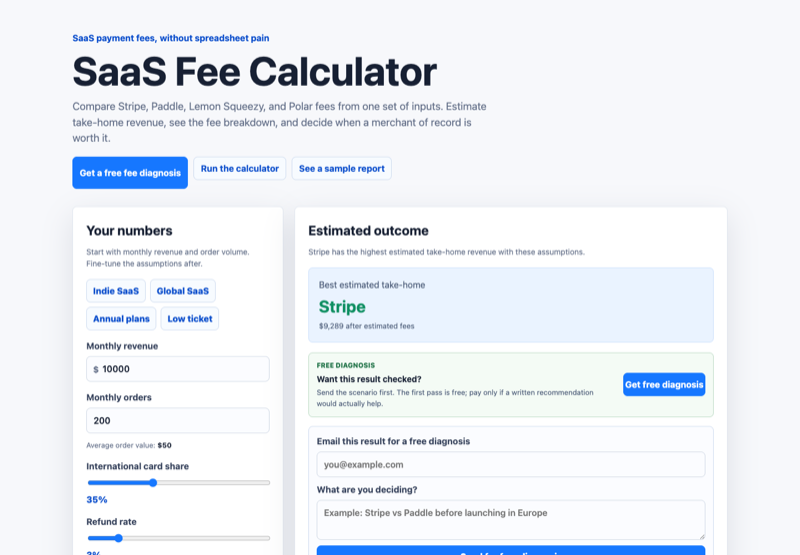
Use the homepage screenshot when the listing needs to show the overall product positioning, calculator entry point,
CSV template link, and Paddle vs Stripe path. It is the broadest visual for general startup-tool directories.
Open homepage screenshot
Calculator preview
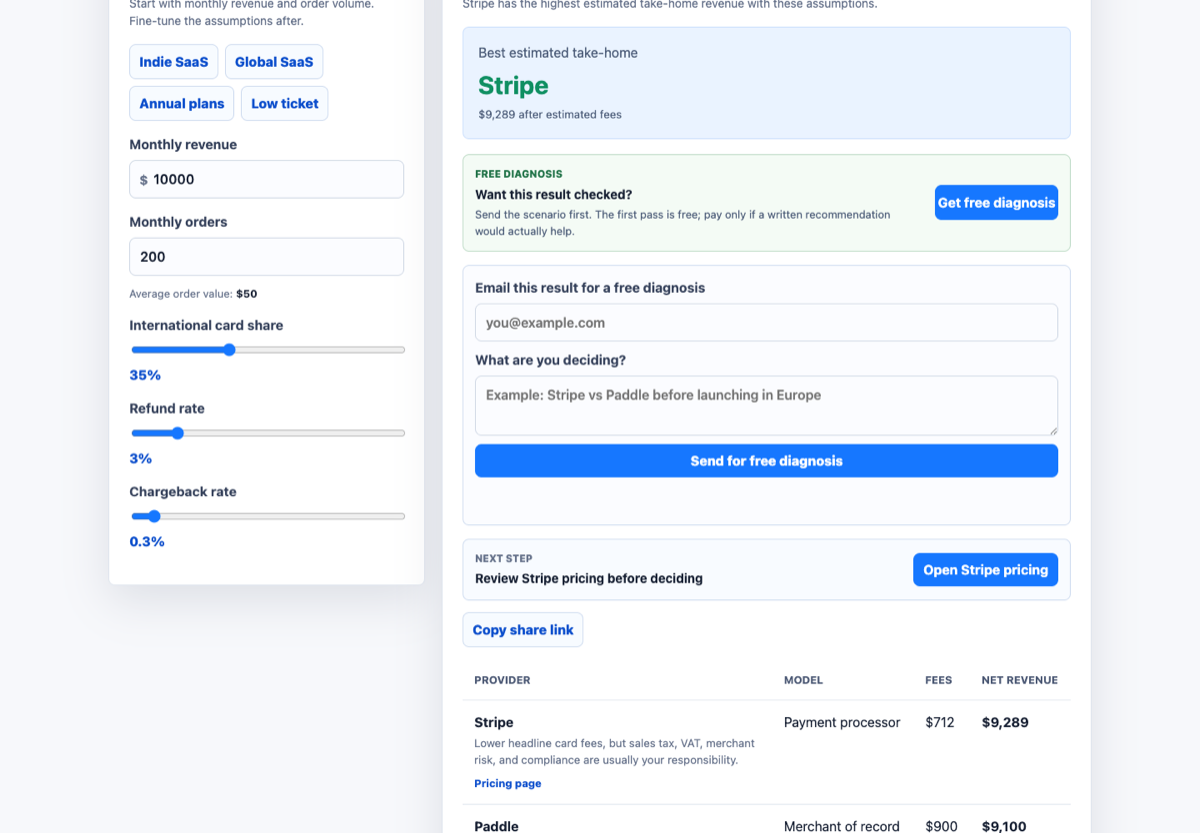
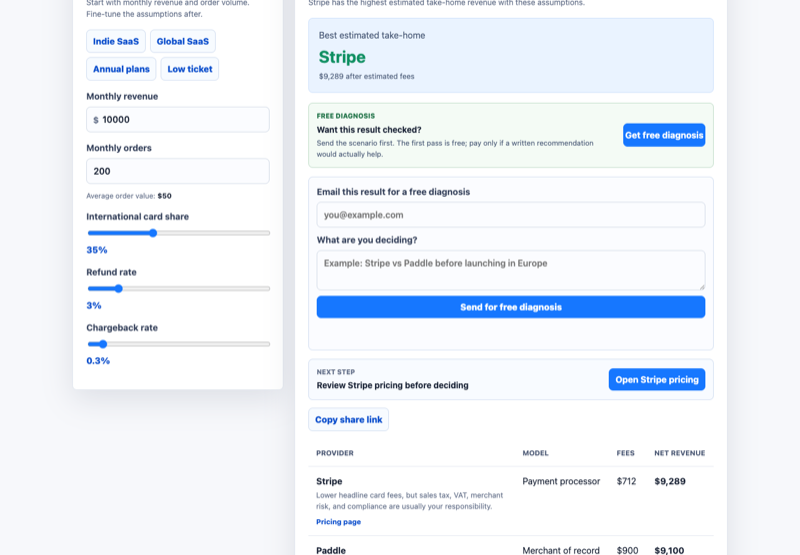
Use the calculator screenshot when the listing should show the actual input and result workflow: revenue, order count,
international cards, refunds, chargebacks, and estimated take-home revenue by provider.
Open calculator screenshot
Safe claim language
Accurate wording: "compare estimated SaaS payment fees", "model take-home revenue", "compare direct processors with
merchant-of-record options", and "use a free CSV template before choosing a checkout provider".
Avoid saying the tool guarantees exact fees, provides tax advice, replaces official provider pricing pages, or recommends
one universal provider. Provider pricing can change, and custom plans may differ.